Quick tip: @-mention your references in the Shot Editor prompt
Type @ to pick a character, location or prop. A pill is a picture the model really receives, and a red pill means it does not.
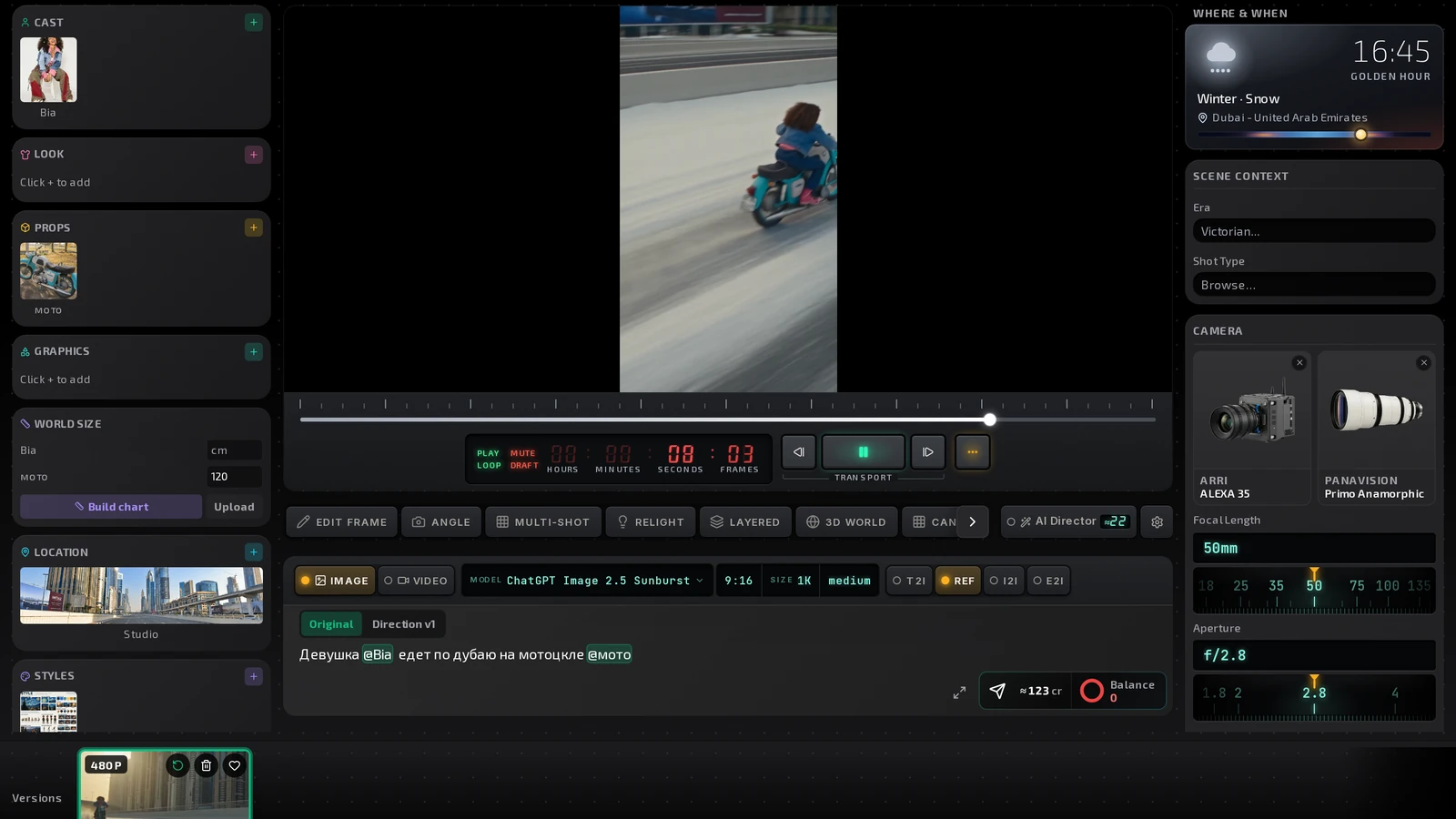
In the Shot Editor prompt, type @ and pick an asset: a Character, Look, Prop, Location, Graphic, Video or Image ref. It goes into the prompt as a pill, like @Mara.

Why it matters
A pill is a reference that is sent with your prompt, so the model is pointed at that picture instead of being told a name. A red pill is written in the prompt, but no image for it is being sent: the model gets only the word and will guess. Give that asset a picture, or pick another one.
Tip
Only broken references show a chip row under the prompt. If you see that row, something in the shot will be described in words instead of shown.
In the app
Where to find it
Projects → open a project → open a shot in the Shot Editor → the prompt field → type @.
Try it in ProMediaFlow
Create an account and do what this post shows in your own project.
Create an accountPublished