Quick Tip
Quick tip: start your lighting from the Light Setup library
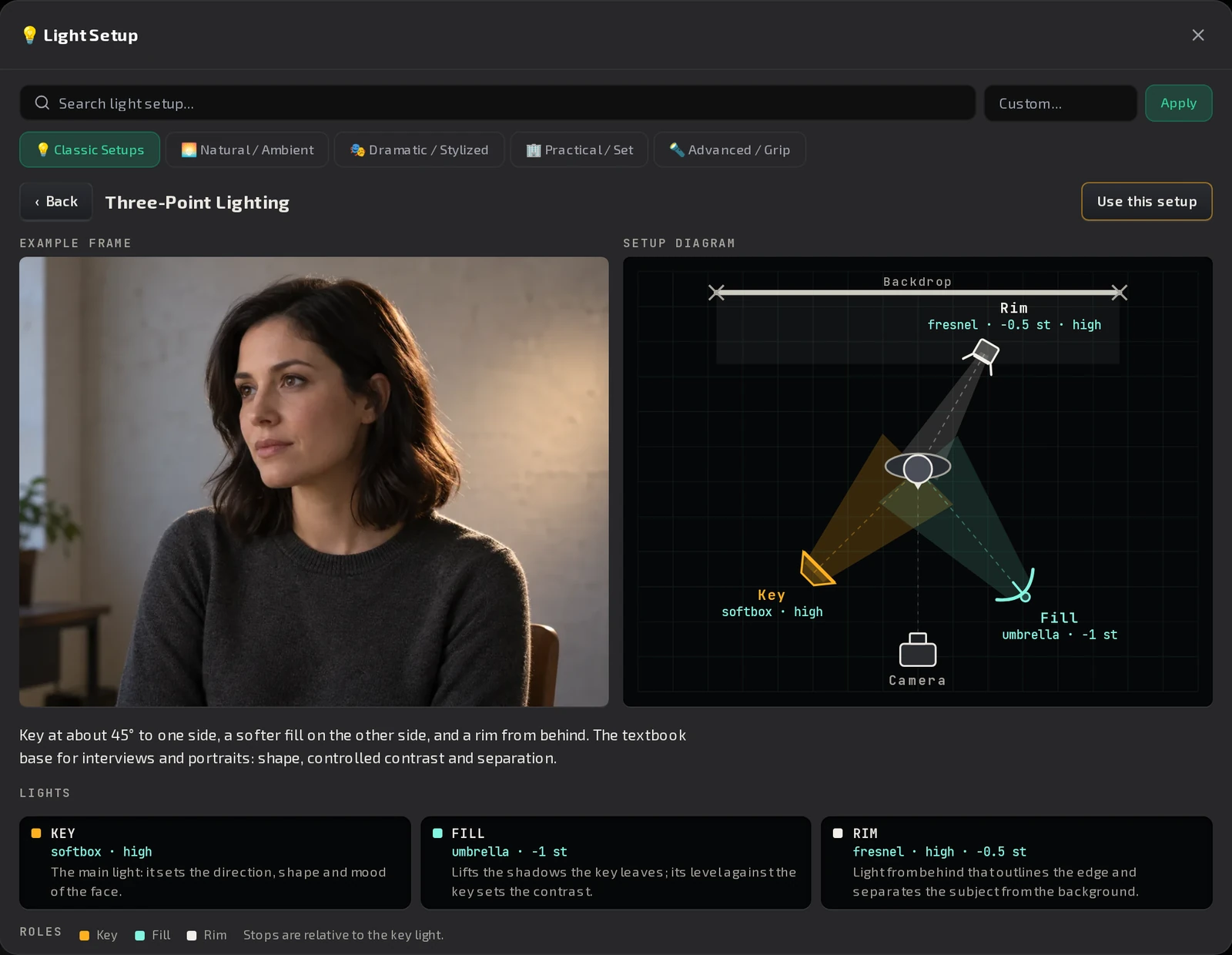
47 ready lighting setups, each with a top-down diagram, an example frame and stops relative to the key.
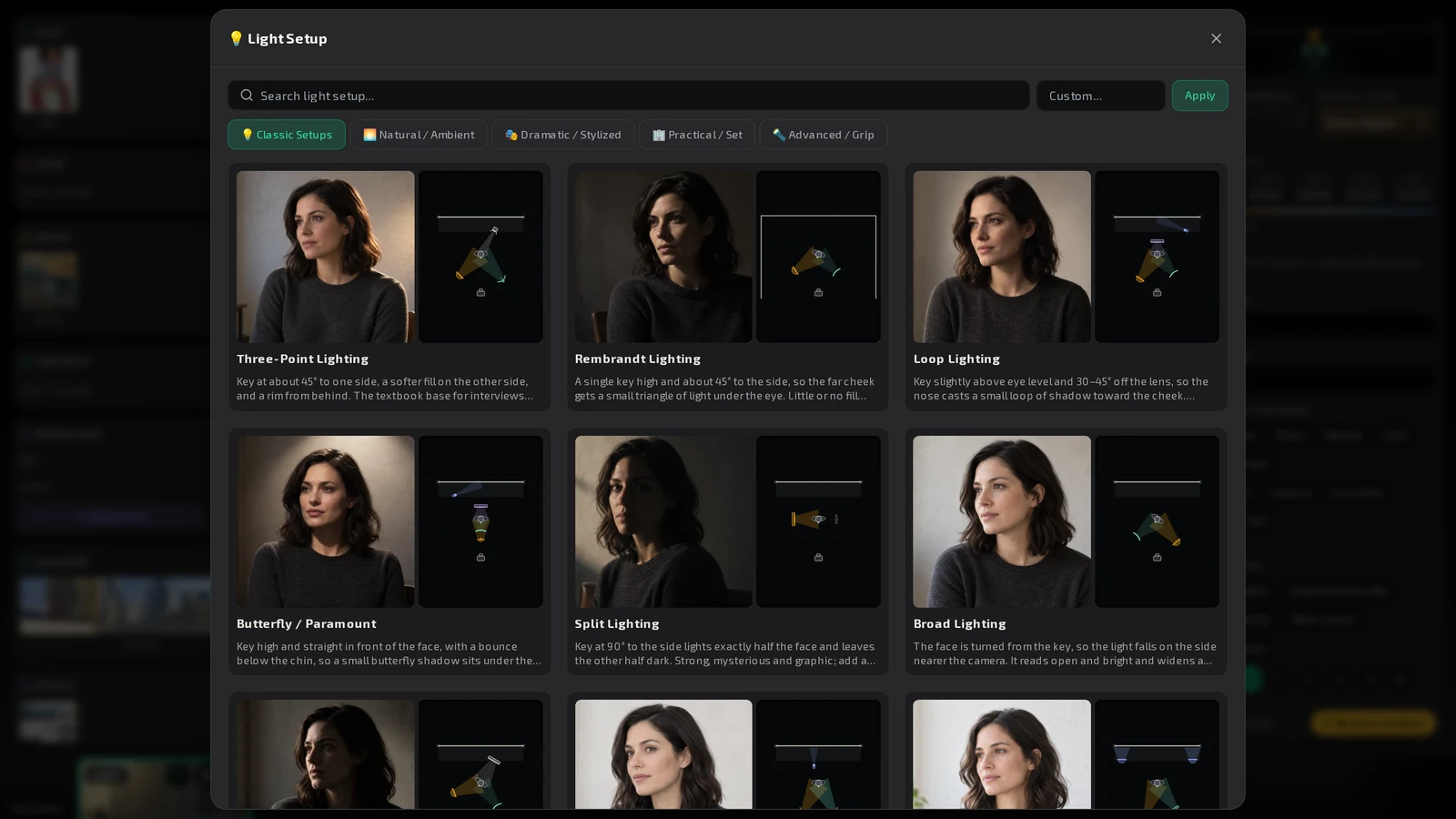
Describing light from scratch is slow. Pick a proven setup instead: the Light Setup library has 47 of them, each with an example frame and a diagram.
What you get
- Five tabs: Classic Setups, Natural / Ambient, Dramatic / Stylized, Practical / Set and Advanced / Grip.
- Each card shows the diagram and an example frame.
- Open a setup to see a bigger example frame and the top-down Setup diagram. Every light is labelled by role (Key, Fill, Rim, Hair, Background, Practical, Bounce), with its stops relative to the key.
- Press Use this setup to put it in the shot.
Tip
Start from the closest setup and adjust in words. A known setup gives the model a consistent starting point across the shots of a scene.
In the app
Where to find it
Open the picker of the Light field in the Shot Editor, the Scene editor or the Brief.
Try it in ProMediaFlow
Create an account and do what this post shows in your own project.
Create an accountPublished